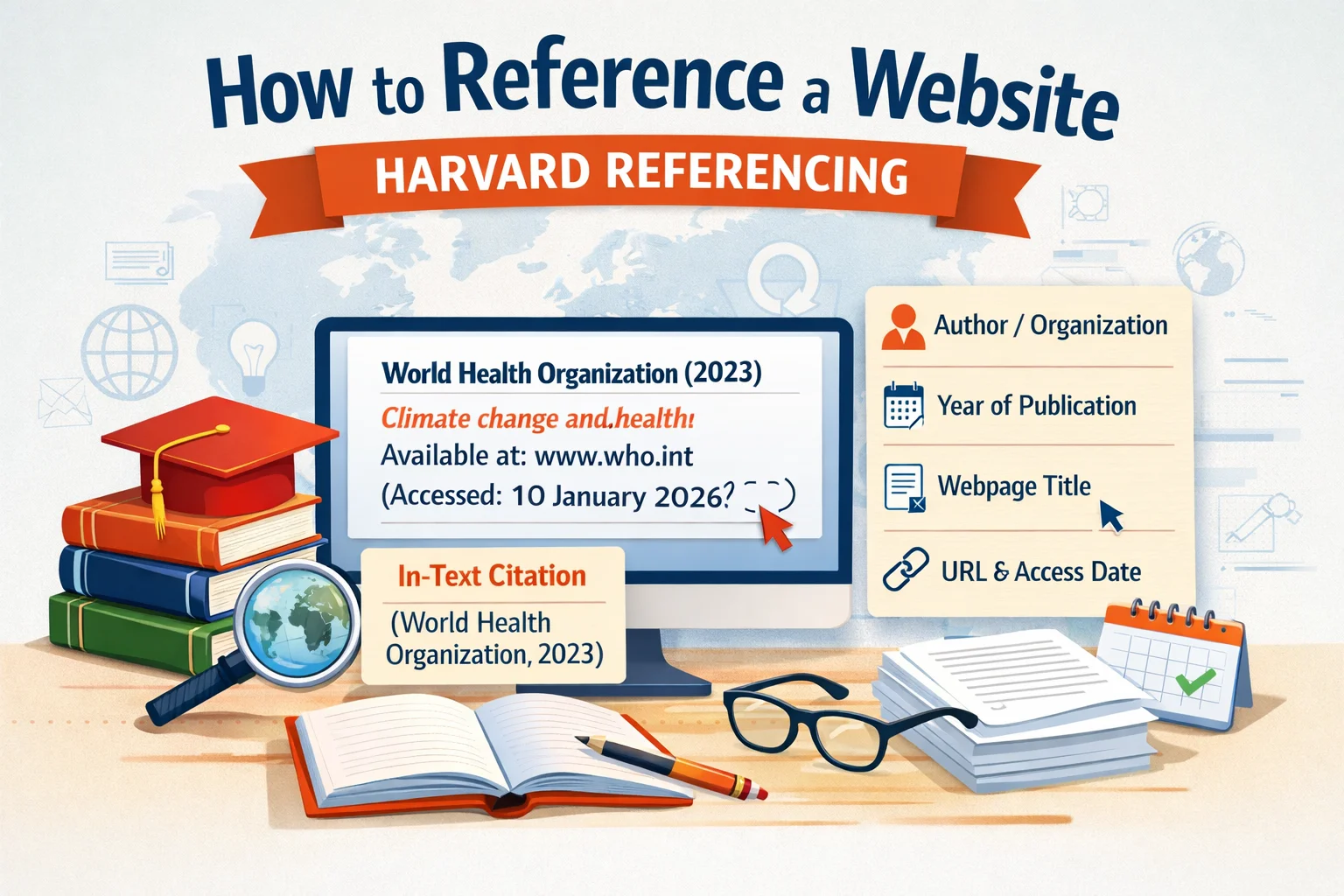
A Harvard website reference needs two parts: a short citation in your paragraph and a full entry at the end of the assignment. Here is what that looks like using an actual webpage.
Examples use the Open University’s Cite Them Right Harvard guide. If your course prescribes another Harvard version, use its formatting.
The citation in your essay and the full reference
Suppose you use the World Health Organization’s Climate change fact sheet in an essay. The page is dated 12 October 2023.
Example paraphrase in your paragraph:
Climate change can harm health directly and through changes to living conditions (World Health Organization, 2023).
In your reference list:
World Health Organization (2023) Climate change. Available at: https://www.who.int/news-room/fact-sheets/detail/climate-change-and-health (Accessed: 8 October 2026).
The short citation tells the reader whose work supports your sentence. The full entry lets them find it. You do not need to repeat the URL beside the sentence.
To adapt this reference, replace the organisation, year, title, URL and access date with your source’s details. If a person wrote the page, put their surname and initials in the reference list; use their surname in the citation.
Check the source before choosing a format
A PDF can contain a report, journal article or book. This checklist helps you identify the source and the details to check. Missing-author and date guidance follows the Open University’s Cite Them Right Harvard guide used above; it does not produce a finished reference.
Which date goes in the reference?
On the WHO page, three dates can easily get confused:
- 2023: the year beside the article. This belongs after the author.
- 2026: the copyright year in the website footer. It is not the date of this article.
- 8 October 2026: the day this example was checked. This belongs in the access-date field.
Use your own access date. If you read the page on 10 October, your reference should say 10 October—not the date copied from this example.
No author’s name? Check who published the page
The WHO example has no individual byline, but its organisation is identifiable. That is why the reference starts with World Health Organization, rather than “Anonymous”.
If neither a person nor an organisation is identifiable, the OU guide uses the page title in the author’s place. A missing byline alone is not enough to make that decision.
Formatting example only: imagine a webpage called Planning a revision timetable, dated 2024, with no identifiable personal or organisational author. Its citation would be (Planning a revision timetable, 2024).
The reference would begin: Planning a revision timetable (2024). Available at: [page URL] (Accessed: [your access date]). This is an invented example to show the format, not a source to cite.
What if there is no publication date?
Use no date in this Harvard version. UNICEF’s What we do page, for example, had no visible publication or update date when checked on 8 October 2026.
UNICEF (no date) What we do. Available at: https://www.unicef.org/what-we-do (Accessed: 8 October 2026).
The in-text citation is (UNICEF, no date). The organisation is known; only the date is missing.
Why does my university’s example look different?
“Harvard” does not identify one universal set of punctuation rules. Leeds Harvard, for instance, includes an online label and puts the access date before the URL. Its missing-details rules also differ. Follow one course guide throughout rather than combining examples from different universities.
Arrange your reference list alphabetically by author, or by title where that replaces the author. Check that each citation points to the matching reference-list entry.
Quoting the page rather than paraphrasing?
The OU guide allows a paragraph number where possible when a webpage has no page numbers. That helps the reader locate the quotation. Do not invent a page number from your browser’s print preview.
If you need help explaining a source rather than simply dropping a citation into a sentence, see the PEEL paragraph example.